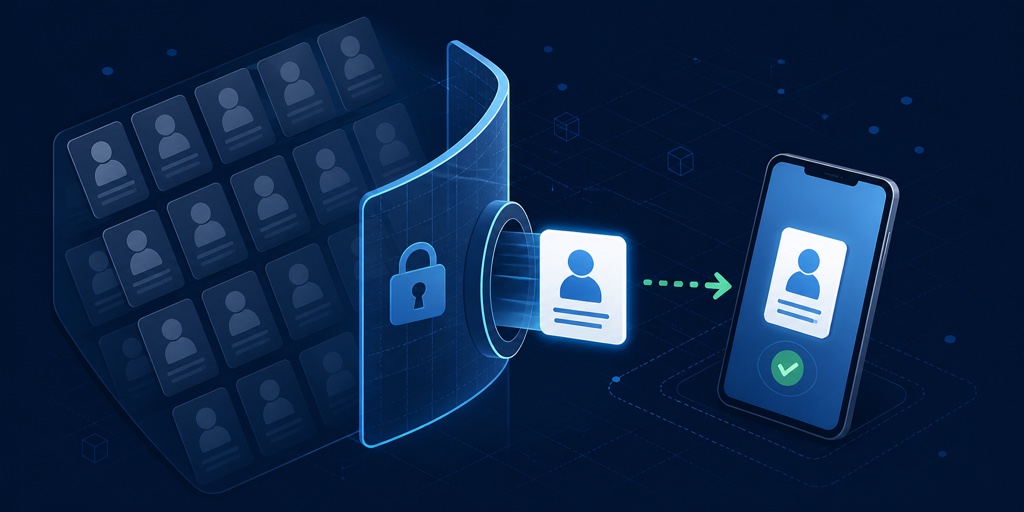
A share screen needs one phone number. A delivery form needs one address. Neither feature needs a database of everybody the user knows.
PR #5680 adds ContactPicker, a permission-free path that returns only the contacts and fields the user selects. It uses the Android 17 system Contact Picker, a narrow fallback on older Android versions, and Apple’s CNContactPickerViewController on iOS.
For VoIP, VPN, native Mac and Windows work, OTP, billing, and the platform-watch process that found this gap, read the weekly overview.
Ask for the fields the screen needs
The basic flow declares a field mask and opens the system picker:
ContactPicker picker = new ContactPicker();
picker.setRequestedFields(
        ContactPicker.NAME |
        ContactPicker.PHONE);

picker.pick(event -> {
    Contact[] selected = ContactPicker.getPickedContacts(event);
    if (selected.length == 0) {
        return;
    }

    Contact contact = selected[0];
    recipientName.setText(contact.getDisplayName());
    recipientPhone.setText(contact.getPrimaryPhoneNumber());
});
Available fields include name, phone, email, address, photo, birthday, and website. Requesting a field describes the desired result. A platform may return less because the contact lacks it or because its picker does not support every combination.
The returned Contact is a snapshot. Copy the values the feature needs while handling the result. Its picker identifier is not a token for later unrestricted access through ContactsManager.
Platform differences remain visible
On Android 17, ACTION_PICK_CONTACTS supports the new privacy-focused system surface. Older Android releases use ACTION_PICK for one contact without requesting broad contacts permission. The fallback cannot promise every requested field or multiple selection.
iOS presents CNContactPickerViewController. This path does not need NSContactsUsageDescription because the user chooses the data in a system-owned interface. The simulator supplies a deterministic picker for UI and cancellation tests.
Other ports report the capability as unsupported. Application code should keep its manual-entry path:
if (ContactPicker.isSupported()) {
    chooseContactButton.setEnabled(true);
} else {
    chooseContactButton.setVisible(false);
    manualEntry.setVisible(true);
}
Multi-selection and “require all fields” are requests, not portable guarantees. A form should treat a missing phone number as a normal result and let the user enter it.
getDisplayName() may synthesize a useful label when the native contact has no display string. Use the given and family name fields when the distinction matters.
Permission detection had to become more precise
The builder previously treated references near the contacts API as a reason to add broad address-book access. That would defeat the point of the new picker.
Feature scanning now distinguishes ContactPicker, contact value objects, and direct broad-reader calls. Using Contact as the picker result does not add permission by association. Calling a Display method that reads the address book still does.
no broad permission] Q -->|Yes| B[Contacts API
platform permission flow]
The builder is part of the API design. A permission-safe Java surface is incomplete if packaging adds a permission the application never asked for.
Privacy is also product design
Broad contact access asks users to trust the application with relationships unrelated to the task in front of them. A system picker changes that conversation. The user sees the operating system’s interface, chooses a specific person, and returns only the relevant snapshot.
The security gain is concrete, but the product flow improves too. There is no pre-permission explanation, denial recovery, settings detour, or empty contact screen after a refusal. Manual entry remains available when selection is unsupported or the desired field is missing.
This week’s OTP support follows the same rule by accepting one code without reading the inbox. Call and VPN packages activate only their own native services. Builders inspect what the application uses and keep everything else out.
Secure defaults grow through choices this ordinary. The easiest API asks for the smallest useful slice of data. A developer must make a deliberate choice to widen access.
Discussion
Where does your application still ask for a whole data set when the user could select one item?